Reviews sell products. Most customers who liked what they bought never get around to writing one, though. A small points reward gives them a reason to spend two minutes on it. This guide shows how to set that up in WooCommerce, what a fair reward looks like, and which mistakes cost you trust or money.
Why points for reviews work
- Points bring customers back. A cash refund ends the relationship. Points only have value on a future order, so the reward itself pulls the reviewer back to your store.
- The cost is small and delayed. You pay nothing until the points are spent, and then only as a discount on a new sale.
- It helps the products that need it. A product with no reviews is hard to sell. A few honest reviews from real buyers change that.
Reward the review, never the rating
This is the one rule that matters most. In the United States, the FTC's rule on consumer reviews, finalized in August 2024, bans incentives that are conditioned on a review expressing a particular sentiment, positive or negative, whether that condition is stated or implied. Offering points for "an honest review" is a different thing from offering points for "a 5-star review". Only give points for writing a review, give the same points for one star as for five, and never hint otherwise in your emails. Rules differ by country, so check what applies to you.
Set it up in Wren Loyalty (free)
Review points are part of the free Wren Loyalty plugin. You don't need Pro.
- Turn on WooCommerce reviews. Go to WooCommerce → Settings → Products, scroll to Reviews and tick Enable product reviews. While you're there, tick Show "verified owner" label on customer reviews so shoppers can see who bought the product.
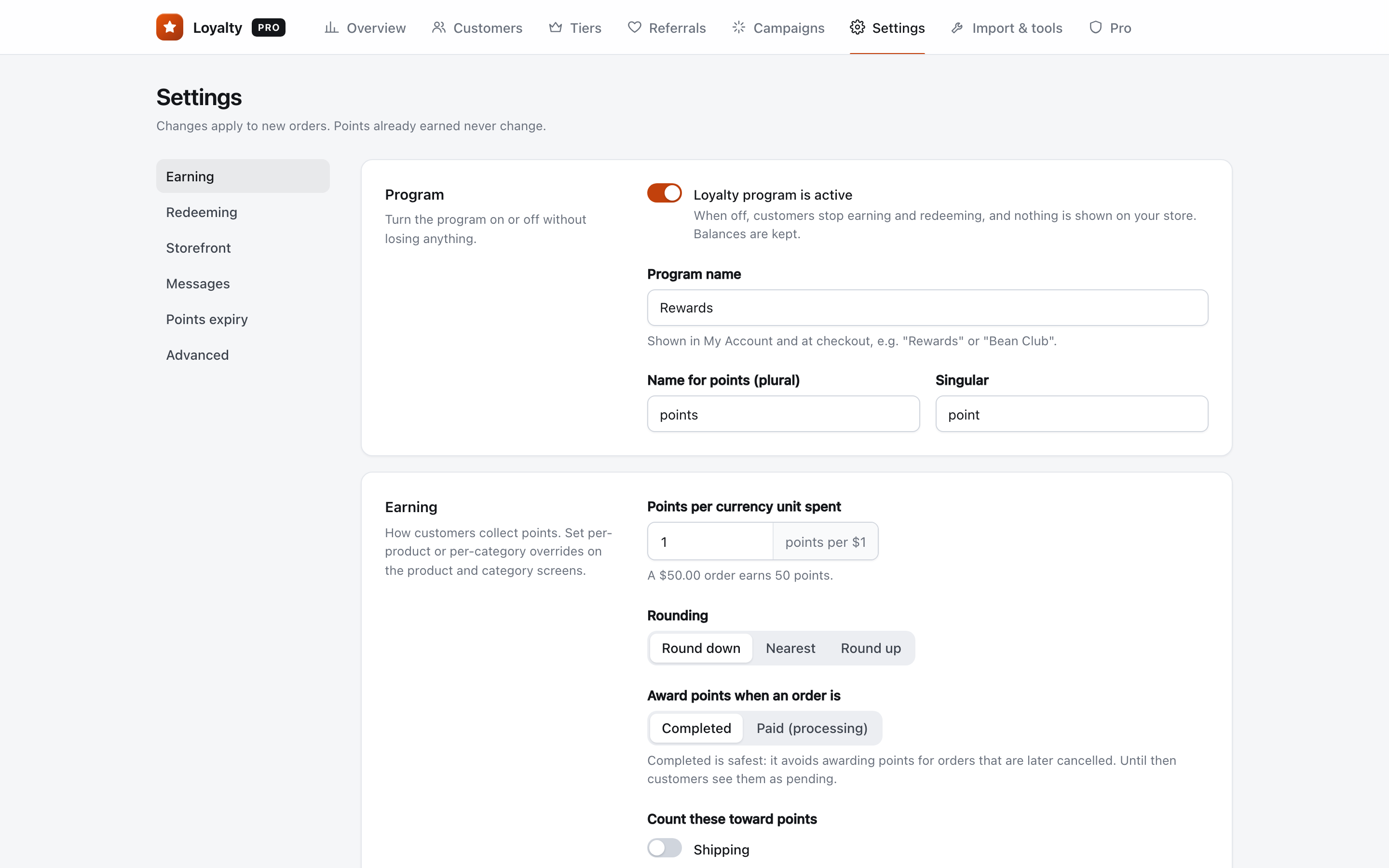
- Open the Wren settings. Go to WooCommerce → Loyalty → Settings and scroll to the Earning section.
- Set the Product review bonus. Enter the number of points for each review. It is 0 by default, which means off.
- Keep "Only reward reviews from verified buyers" on. It is on by default. With it on, Wren only gives points when the reviewer has bought that product from you.
- Save, then test. Log in as a test customer who has a completed order, review that product, approve the review, and check the points under WooCommerce → Loyalty → Customers.
How Wren decides who gets points
- Points are added when the review is approved. If you hold reviews for moderation, nothing is given until you approve one, so spam never earns anything.
- Each customer earns review points once per product. Writing five reviews of the same item earns the bonus once.
- The reviewer must be logged in. Guest reviews and replies to other reviews don't earn points.
- The entry shows in the customer's history as "Reviewed" followed by the product name, and their My Account rewards page lists "Write a review" under ways to earn.
Good defaults
| Setting | Suggested value | Why |
|---|---|---|
| Product review bonus | Points worth $0.50 to $1 | Enough to feel like a thank-you, small next to an order |
| Only reward verified buyers | On | Stops people reviewing things they never bought |
| Review moderation | Approve reviews by hand at first | Points only land on reviews you have read |
With Wren's default rate of 100 points = $1 off, 50 to 100 points per review fits that range. If you changed the redeem rate, scale the review bonus with it.
Ask at the right moment
A review request makes sense once the customer has the product in hand. WooCommerce has a Customer review request (beta) feature, under WooCommerce → Settings → Advanced → Features. It adds an email, sent a set number of days after an order is completed, with one link to review the items. If you mention points in that email, say they're for any honest review.
Mistakes to avoid
- Rewarding only good reviews. Besides the legal risk, shoppers trust a mix of ratings more than a wall of five stars.
- Turning off the verified-buyer check. Without it, anyone with an account can collect points for every product in your catalog.
- Setting the bonus too high. If a review is worth more than a typical order earns, people write reviews for the points, not to help other shoppers.
- Forgetting about deleted reviews. Wren doesn't take points back if you later delete or unapprove a review. If you remove one for abuse, remove the points by hand on the Customers screen with a short reason.
FAQ
Can I give extra points for photo reviews?
Not automatically. Wren gives one fixed bonus per approved review. You can add extra points by hand on the Customers screen, where every adjustment needs a reason the customer can see in their history.
Does a customer get points for reviewing the same product twice?
No. Review points are given once per customer per product, however many reviews they post.
What if WooCommerce only lets verified owners review?
That works well with Wren. WooCommerce's Reviews can only be left by "verified owners" option stops non-buyers from posting at all, and Wren's verified-buyer check makes sure only real buyers earn points. You can use either one or both.
Want the full picture first? See what Wren Loyalty does.