YITH Points and Rewards is a mature plugin with a lot of options. If you've decided to move your store to Wren Loyalty, this guide walks you through it. Your customers keep their balances, their points keep the same value, and YITH's own data stays untouched in case you need it later.
Plan on about an hour, most of it spent checking. For the general approach that applies to any plugin, see how to move loyalty points to a new plugin.
Before you start
- Back up your database. Wren only reads YITH's data, but a fresh backup is always the right first step.
- Write down your YITH rates. Go to YITH → Points and Rewards → Points options → Points assignments and note Default points assigned (for example, 1 point for every $10). Then open Points redeeming and note the Reward conversion method and Reward conversion rate (for example, 100 points = $1).
- Keep your own copy of balances. YITH can export points from the Customers' points tab as a CSV (User ID / Points). It's a handy record to compare against.
- Pick a quiet time. While both plugins are active, an order can earn points in both. Do the switch when orders are slow, and keep the overlap short.
What moves over
| YITH data | Moves to Wren? |
|---|---|
| Each customer's points balance | Yes. Read from the user meta _ywpar_user_total_points, free or premium version. |
| Points history | No. Each customer gets one history line, "Imported from YITH Points and Rewards", for their full balance. |
| Earn and redeem rates | No. You set these in Wren (step 2). |
| Points rules and extra points | No. Wren has per-product and per-category points, a welcome bonus and a review bonus. Recreate what you need. |
| Levels and badges | No. Wren Loyalty Pro has VIP tiers you can set up again. |
| Expiry dates | No. The free version of Wren doesn't expire points. Pro adds expiry. |
| Balances of zero or less | No. They're listed in the preview as skipped. |
Step by step
1. Install Wren Loyalty and leave YITH active
Install and activate Wren Loyalty. Don't deactivate YITH yet. Wren's import screen asks you to keep the old plugin active until the import is done.
2. Match your rates
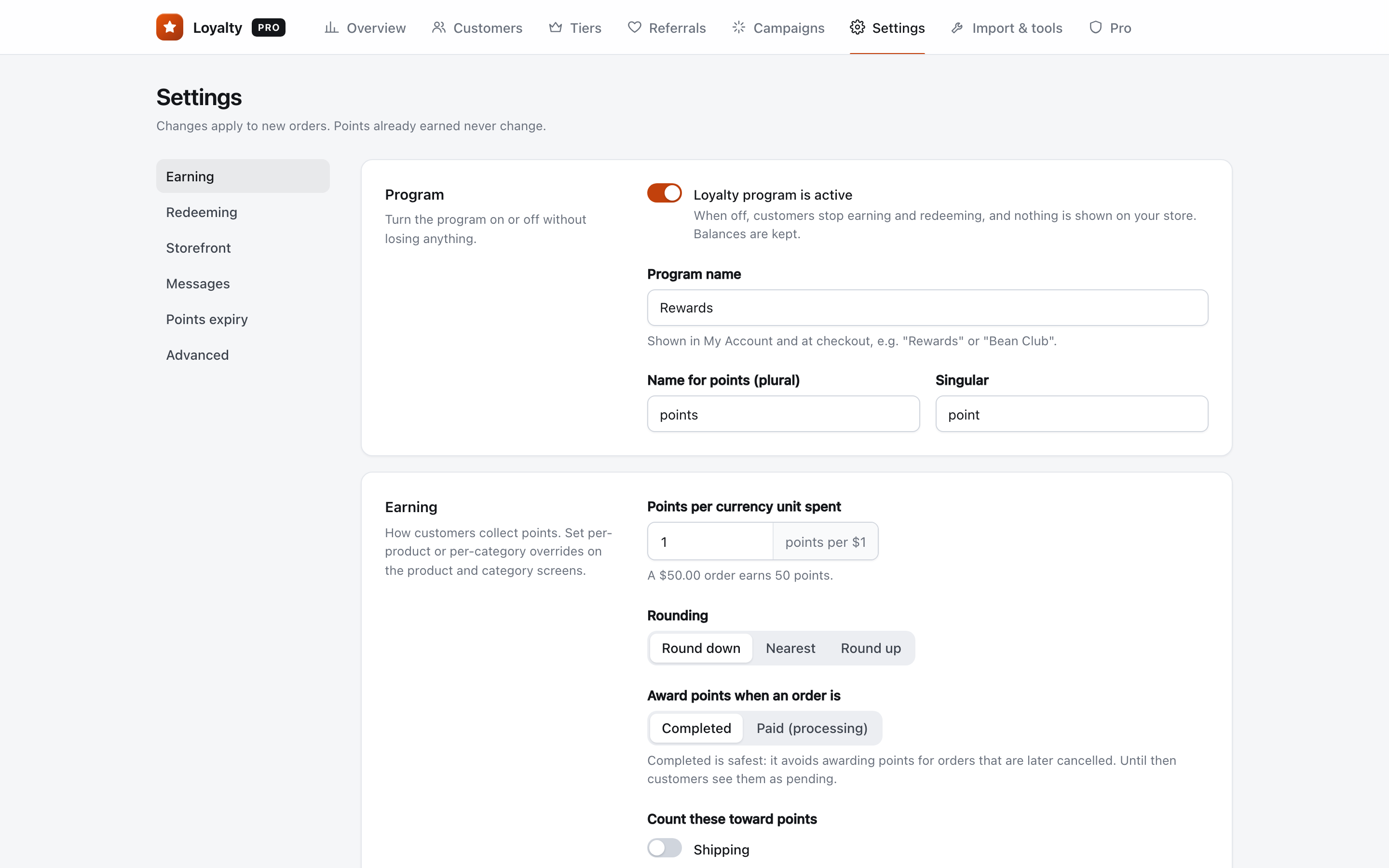
Open WooCommerce → Loyalty → Settings. Under Earning, set Points per currency unit spent. YITH counts points per a number of dollars, so divide: 1 point per $10 becomes 0.1. Pick the rounding that matches YITH's Points rounding option.
Under Redeeming, set Points needed for each currency unit off to the same number YITH used, such as 100. Now 1,000 points are worth $10 in both plugins.
3. Open Import & tools
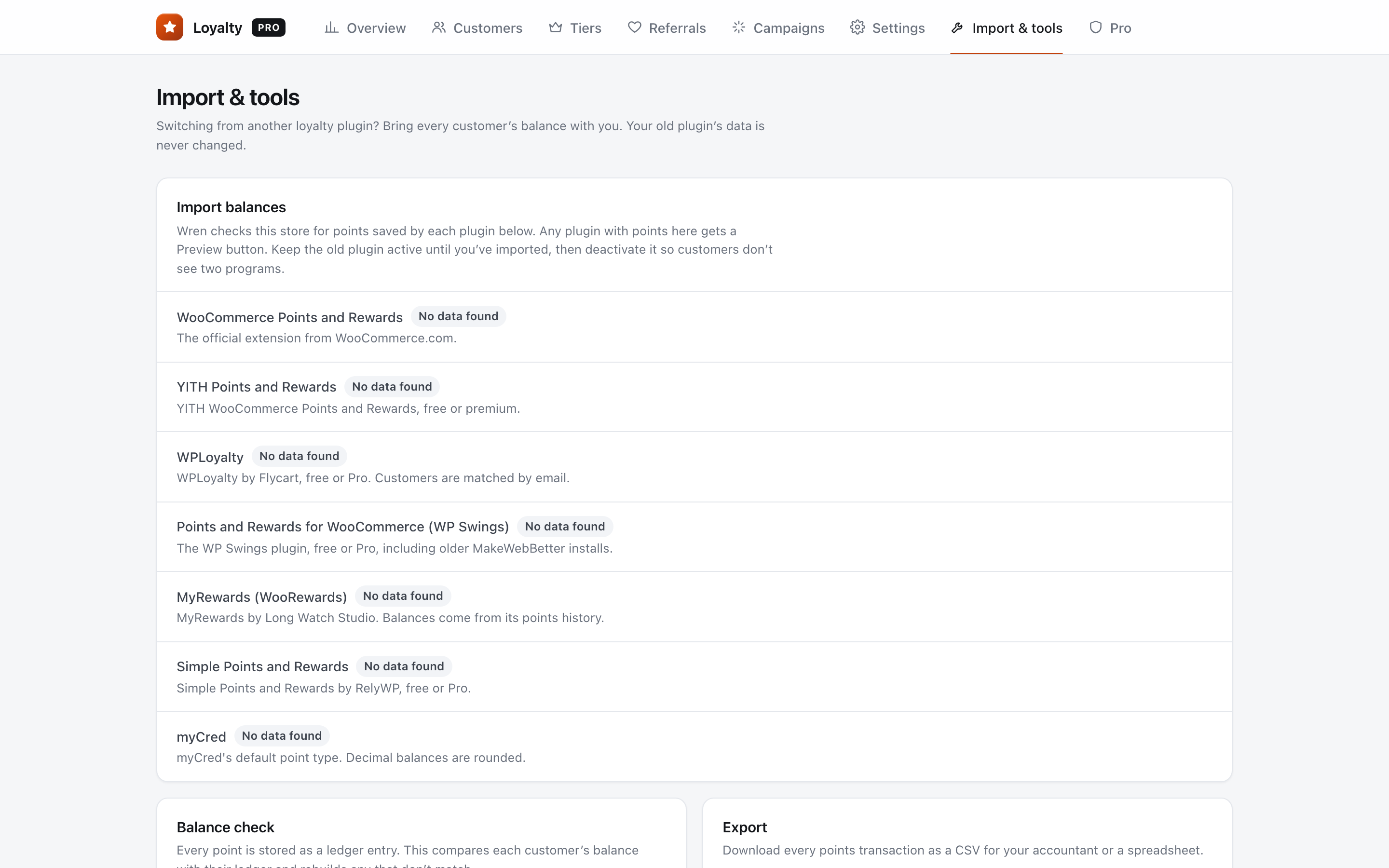
Go to WooCommerce → Loyalty → Import & tools. The YITH Points and Rewards row shows "Found data" and how many points and customers Wren found. Click Preview. Nothing is imported yet.
4. Download the preview and spot-check three customers
Click Download the full list (CSV). It has one row per customer with these columns: user_id, name, email, points_in_yith, status, wren_balance_now and wren_balance_after_import. The status says "Will import", "Already imported (skipped)", "Skipped: no WordPress user with this ID" or "Skipped: balance is zero or less".
Pick three customers: one with a large balance, one small, and one who ordered recently. Compare each to their balance in YITH's Customers' points tab.
5. Run the import
Click Import now. Wren confirms how many points it imported for how many customers. Each customer is imported once, so running it again never doubles a balance.
6. Check a customer in Wren
Open WooCommerce → Loyalty → Customers, search by name or email, and open one of your three customers. The balance should match YITH, and the history should show "Imported from YITH Points and Rewards".
7. Test checkout with a test customer
Log in as a test customer with points in a private window. Add a product, use some points in the cart or checkout, and place the order with a test payment method. Check that the balance went down by the right amount.
8. Deactivate YITH
Once the test passes, deactivate YITH Points and Rewards so customers only see one program.
9. Delete YITH's data later
Wren never changes YITH's data. Leave it in place for a few weeks so you can answer "where did my points come from?" questions. Delete it only when you're sure you won't need it.
After the switch
Tell customers before they notice. One short email is enough:
Subject: Your points have moved
"Hi {first_name}, our rewards program has a new home. Your {balance} points came with you and are worth the same as before. You can see them, and their history, on your account page."
FAQ
I used a percentage discount in YITH. How do I match it?
Wren turns points into a fixed money discount, such as 100 points = $1 off. It doesn't have a percentage option. Pick a fixed rate close to what customers were used to, and mention the new value in money in your email.
Does this work with the free version of YITH?
Yes. The free and premium versions store balances in the same place, and Wren's importer reads both.
What happens to my customers' YITH levels and badges?
They don't carry over. If you want tiers again, Wren Loyalty Pro has VIP tiers with earn multipliers. Set them up to mirror your old levels so customers recognize them.