Points and Rewards for WooCommerce by WP Swings (once sold as MakeWebBetter) has a free version many stores start with. If you're moving to Wren Loyalty, this guide shows how to bring every customer's points with you, match your rates, and switch without surprises.
For the general approach with any plugin, see how to move loyalty points to a new plugin.
Before you start
- Back up your database. Wren only reads the old plugin's data, but always have a backup.
- Write down your earn rate. Go to WooCommerce → Points and Rewards → Per Currency Points & Coupon Settings and note the Per $ Points Conversion (for example, 1 point per $1).
- Write down your redeem rate. In General Setting → Redemption Settings, note the Conversion Rate (for example, 10 points = $1). If you also let customers turn points into coupons, note the Redeem Points Conversion under Coupon Settings too. The two can differ.
- Pick a quiet time. While both plugins are active, an order can earn points in both. Keep the overlap short.
What moves over
| WP Swings data | Moves to Wren? |
|---|---|
| Each customer's points balance | Yes. Read from the user meta wps_wpr_points, or mwb_wpr_points on older MakeWebBetter installs. |
| Points Log | No. Each customer gets one history line, "Imported from Points and Rewards for WooCommerce (WP Swings)", for their full balance. |
| Conversion rates | No. You set these in Wren (step 2). |
| Signup and comment points | No. Wren has a welcome bonus and a product review bonus. |
| Referral points | No. Referrals are in Wren Loyalty Pro. |
| Membership levels | No. Wren Loyalty Pro has VIP tiers. |
| Coupons customers already made from points | No. They're coupons now, not points. |
Step by step
1. Install Wren Loyalty and leave the old plugin active
Install and activate Wren Loyalty. Keep Points and Rewards for WooCommerce active until the import is done.
2. Match your rates
Open WooCommerce → Loyalty → Settings. Under Earning, set Points per currency unit spent to your Per $ Points Conversion. If it was 1 point per $1, enter 1.
Under Redeeming, set Points needed for each currency unit off to the points in your redemption Conversion Rate. "10 points = $1" means 10. Customers redeem with a slider in the cart or checkout, so this is the rate to match.
3. Preview the import
Go to WooCommerce → Loyalty → Import & tools. The Points and Rewards for WooCommerce (WP Swings) row shows the points and customers Wren found. Click Preview. Nothing changes yet.
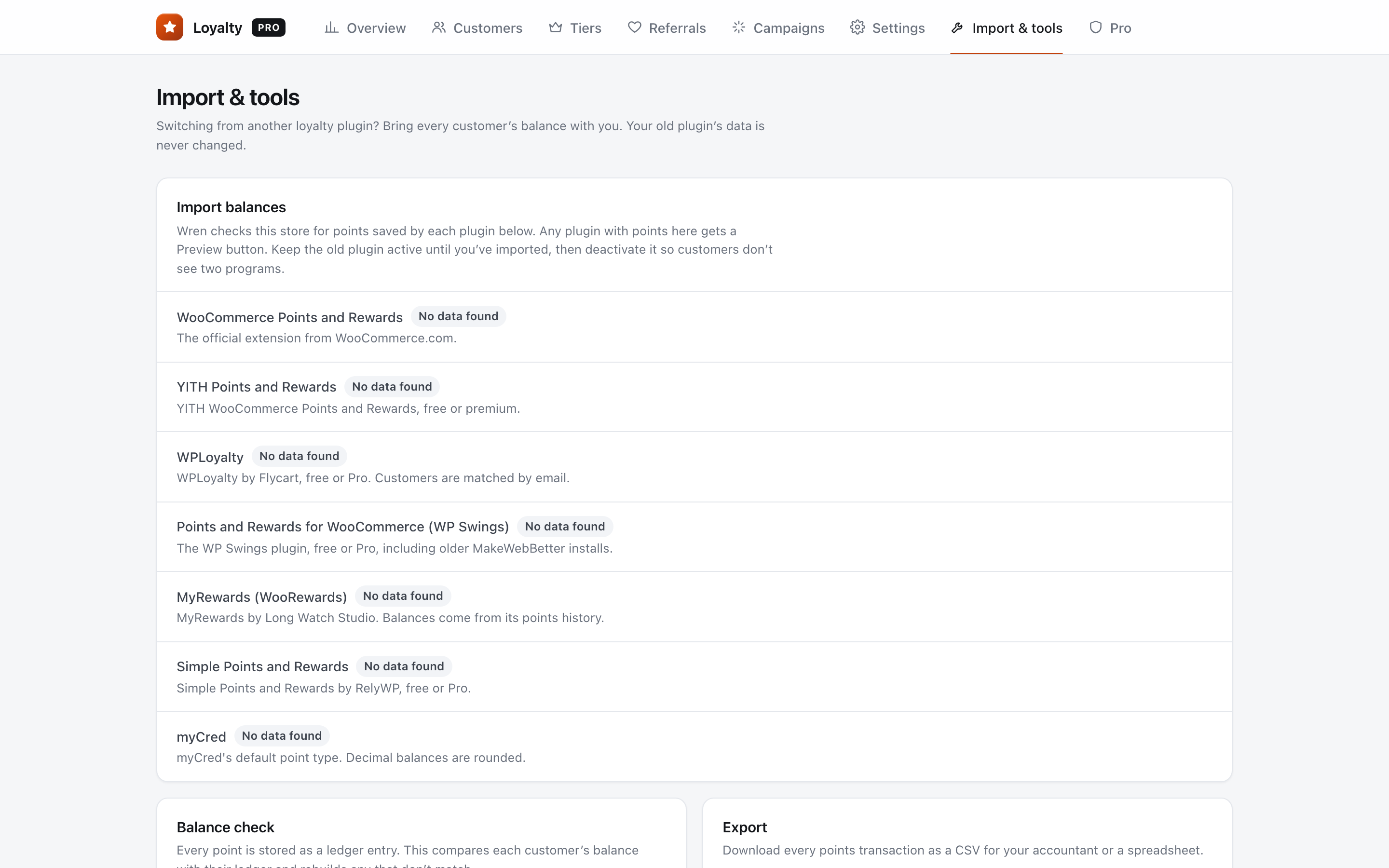
4. Download the preview and spot-check three customers
Click Download the full list (CSV). You get one row per customer with user_id, name, email, points_in_wpswings, status, wren_balance_now and wren_balance_after_import. Rows marked "Skipped" have no WordPress user with that ID, or a balance of zero or less.
Pick three customers, including your biggest balance, and compare them with the old plugin's points screen.
5. Run the import
Click Import now. Wren imports each customer once. If you run it again, those customers are skipped and no balance doubles.
6. Check a customer in Wren
Go to WooCommerce → Loyalty → Customers, search by name or email, and open one of your three customers. Check the balance and the "Imported from" line in their history.
7. Test checkout with a test customer
Log in as a test customer with points in a private window. Use points in the cart or checkout, place a test order, and check the balance went down.
8. Deactivate the old plugin
Deactivate Points and Rewards for WooCommerce so customers see one program. Wren never changes its data. Keep it for a few weeks, then delete it when you're sure.
After the switch
Customers will notice their "Points" tab in My Account has changed. Tell them first:
Subject: Your points have moved
"Hi {first_name}, we've updated our rewards program. Your {balance} points came with you and are worth the same. You can use them right in the cart or at checkout."
FAQ
My store started on the MakeWebBetter version. Will that work?
Yes. Wren reads the older mwb_wpr_points balances as well as the current wps_wpr_points ones. If a customer somehow has both, Wren uses the current one, so nobody is counted twice.
My cart rate and coupon rate are different. Which do I use?
Use the cart redemption Conversion Rate. Wren has one redeem rate, applied in the cart and checkout. If most customers redeemed through coupons, you may prefer that rate instead. Pick one and say so in your email.
What happens to my membership levels?
They don't carry over. Wren Loyalty Pro has VIP tiers with earn multipliers, so you can set similar levels up again.