"Points per dollar" is the setting everyone asks about, but on its own it means nothing. 10 points per $1 can be stingy and 1 point per $1 can be generous. What matters is what those points are worth when a customer spends them. This guide shows how to work out your real reward rate, what most stores choose, and how to check it against your margins.
Two settings make one number
A points program has two rates:
- Earn rate: how many points a customer gets per $1 spent.
- Redeem rate: how many points it takes to get $1 off.
Divide the first by the second and you get the share of spending you give back:
Reward rate = points per $1 spent ÷ points per $1 off
Wren Loyalty's defaults are 1 point per $1 and 100 points = $1 off. That is 1 ÷ 100 = 1% back.
| Points per $1 spent | Points per $1 off | Reward rate |
|---|---|---|
| 1 | 100 | 1% |
| 2 | 100 | 2% |
| 10 | 500 | 2% |
| 3 | 100 | 3% |
| 5 | 100 | 5% |
| 1 | 20 | 5% |
The second and third rows cost the same. Bigger point numbers can feel more generous to customers, but the value is identical as long as you scale both rates together.
What most stores choose
Most points programs give back between 1% and 5% of what customers spend. Loyalty vendors' own guides commonly cite that range, and it is also the range Wren shows under the redeem setting. Where you land depends mostly on your margin:
- Thin margins (groceries, electronics, resold brands): 1% to 2%.
- Middle margins (most specialty stores): 2% to 3%.
- High margins (own-brand products, cosmetics, coffee, digital goods): 3% to 5%.
Treat these as starting points, not rules. If your customers already order often, a modest rate is enough. If you need a stronger reason for a second order, lean higher.
A worked example: $60 average order
Say your average order is $60 before shipping and tax, and your gross margin is 40%. You choose 3 points per $1 and 100 points = $1 off, which is 3% back.
- Each order earns 60 × 3 = 180 points, worth $1.80.
- Gross profit on that order is 40% of $60 = $24.
- The reward is $1.80 ÷ $24 = 7.5% of your gross profit on the order, and only if the points are spent.
- After 3 orders the customer has 540 points, worth $5.40. That is a reward they can see and want to use.
Now try 5% on the same store: 300 points per order, $3 back, 12.5% of gross profit. At a 20% margin, 5% back would eat a quarter of your profit on every order. That is why margin decides the rate.
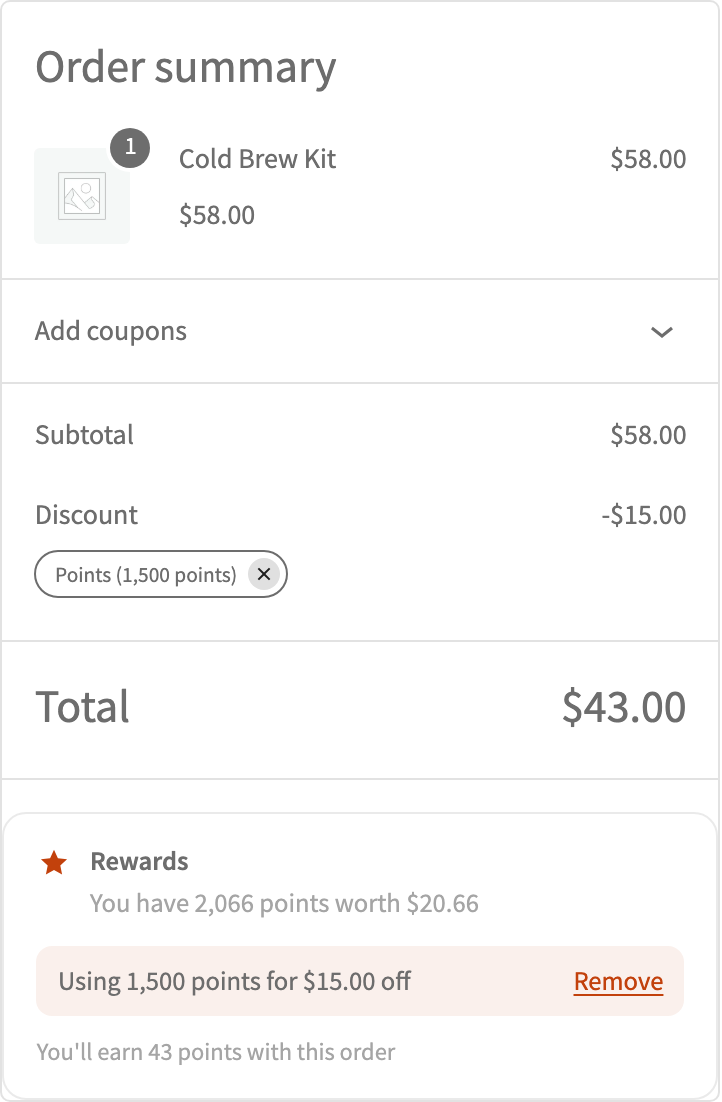
A few things make the real cost lower than the headline rate. Not every point is spent. In Wren, points are earned on what the customer pays for products after discounts, so an order paid partly with points earns fewer points. Shipping, taxes and fees don't count unless you turn them on in Count these toward points.
Try your own numbers in the loyalty program calculator.
Setting it in Wren Loyalty (free)
- Go to WooCommerce → Loyalty → Settings.
- In Earning, set Points per currency unit spent. The help text shows what a $50 order earns.
- In Redeeming, set Points needed for each currency unit off. The help text shows the percentage back as you type.
- Choose Award points when an order is: Completed is the safest choice.
- Set limits if you need them: Minimum points to redeem, Minimum order subtotal and Maximum discount per order.
Protect low-margin products
One rate rarely fits a whole catalog. On any product, the Loyalty points setting can use the store earn rate, give Fixed points per item, or set Earns no points. The same options exist per category. Use them for gift cards, clearance lines or products you sell close to cost. You can also turn on Don't allow points on sale items so points never stack on top of a sale price.
Mistakes to avoid
- Copying a big brand's rate. Their margins and order frequency are not yours. Start from your own numbers.
- Making the first reward too far away. If it takes ten orders to earn $1 off, customers forget about the program. Aim for a usable reward within about three orders.
- Changing rates often. Customers notice. In Wren, changes apply to new orders and points already earned never change, but it is still best to pick a rate and keep it.
- Forgetting the extras. Welcome bonuses, review points and Pro features like tier multipliers and campaigns all add to your real cost. Count them too.
FAQ
Is 1 point per $1 a good default?
It's easy to explain. Paired with 100 points = $1 off it gives 1% back, which suits thin-margin stores. Many stores with healthier margins raise the earn rate to 2 or 3 points per $1.
Should points count shipping and tax?
Usually not. You don't keep the tax and you often don't profit on shipping. Wren leaves both off by default.
Can I raise the rate for a short time?
Yes, with Wren Loyalty Pro. Bonus campaigns multiply points for a date range, store-wide or for chosen categories. See Pro pricing.